Vaccination log: what to note for each animal
A vaccination log tells you which animal received which vaccine, when it was given and when the next dose is due. Note the product name, batch number, dose and person who gave it, then set the next reminder. When vaccinating a group, keep a separate vaccination history for every animal.
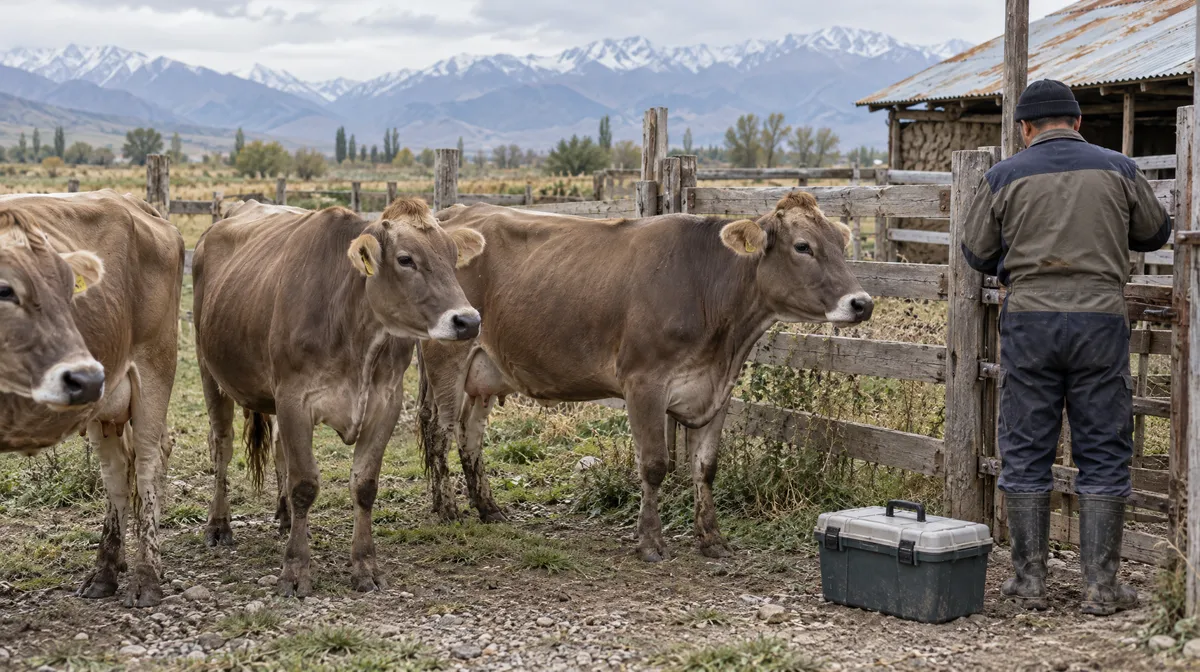
Compiled from open-access scientific sources.
Reference values and basis
| Parameter and basis | Value |
|---|---|
| Animal | Ear tag number, checked against the animal's tag |
| Product | Product name exactly as shown on the label |
| Batch number and expiry | Details from the vial |
| Date and dose | Date, amount and how it was given |
| Given by | Name of the person who gave the vaccine |
| Next due | Next date, with a reminder |
What should you note for each vaccination?
Note the animal's ear tag number, the vaccine name exactly as printed on the label, batch number, date and dose given. Include who gave the injection and when the next dose is due. The batch number is easy to overlook, but it identifies which batch was used if the manufacturer or authorities later raise a query. Copy the number directly from the vial while the vaccination is being given; relying on memory at the end of a busy day invites mistakes. Use the full product name, rather than a nickname such as the blue bottle, so you can identify the vaccine later.
How do you log vaccinations for a group?
Note the vaccination separately for every animal, even when the whole group is vaccinated together. Use the same date, product and batch number for animals given the same vaccine, so you can check each animal's history later. Check the ear tags in the race or pen and make your notes there, or immediately afterwards using the group list. Tick off the animals vaccinated and note any that were missed so you can follow them up. A calf born after the session needs its own vaccination plan and history; its dam's vaccination details do not show that the calf was vaccinated.
Newborns and bought-in animals
Ask for the vaccination history when you buy animals, and note what you learn with the date. For newborns, note the colostrum feeding first, then use the product label to plan their first vaccination dates.
Booster doses
Note each booster separately, with its own date and vaccine batch number. Keep the first dose details too, so you can check the time between doses.
How do reminders help you keep vaccinations on time?
Reminders help you keep vaccinations on time when farm work gets busy. Set the next reminder as you note the vaccination. Check upcoming reminders on the same day each week, group animals due that week, and have the vaccine and equipment ready beforehand. If a vaccination is late, write down the day it was actually given. Accurate dates make the history useful. Follow the product label for intervals between doses, and ask your vaccine supplier about a schedule suited to your region and farming system.
How do vaccination records help at sale or movement?
An individual vaccination history lets you answer buyers, markets and inspectors quickly when they ask which vaccines an animal has received. Clear dates and details also show the care you put into managing your herd. Export the history before a sale, and make a backup before changing phones so you keep it with you. Once a season, check for animals with no vaccination history. This simple check helps you spot calves, bought-in animals and animals moved between groups that may have been missed.
Questions from the farm
Why do I need the batch number?
The batch number identifies the vaccine used. If a question arises about that batch later, you can check which animals received it.
Should I note a group vaccination for each animal?
Note it for each animal, using the same date, vaccine and batch number to keep individual histories complete.
What if a vaccination was late?
Write down the actual vaccination date so the history stays accurate, then use it when setting the next reminder.
Can I keep vaccination histories for sheep and goats?
Yes. Keep the same vaccination details for cattle, sheep and goats.
How HerdMobile helps
Bring your animals, feed stocks and farm accounts together on your Android phone. HerdMobile keeps your daily work moving offline: record events, compare feed quantities and follow sales and payments in one place. Use your own feeds and herd information to prepare a ration, then keep a backup file under your control.
HerdMobile helps you keep track of each animal's vaccinations and set reminders for the next due dates. You can also save a backup file and restore it on a new phone, keeping the herd's vaccination history with you.

Sources
Continue reading
- Farm record keeping: a routine you can keep up
- Colostrum: plan ahead and record what happened
- Calving preparation: a clear handover between shifts
- Ear tags and animal ID: keep every animal clear
- Heat detection records: plan your breeding calendar
- Breed profiles: milk fat and protein by breed
- Feed library: compare nutrients and dry matter