Buying and selling animals: keep each deal clear
Animal purchase and sale records show what each deal cost and what you received. When buying, note the seller, date, price and weight, and include the purchase in that animal’s costs. When selling, note the buyer, live weight, price per kilo, total and payments. Two clear records help you work out profit and outstanding balances.
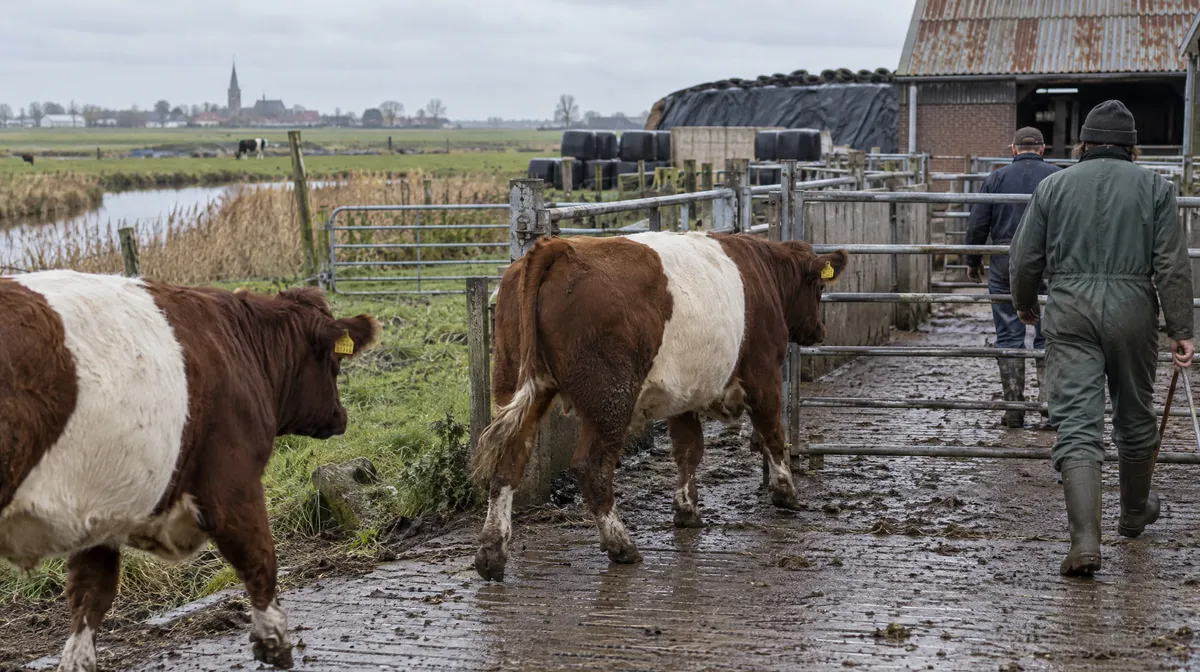
Compiled from open-access scientific sources.
Reference values and basis
| Parameter and basis | Value |
|---|---|
| Purchase price | Total paid for the animal, included in your farm expenses |
| Weight at purchase | Weight from scales or a tape estimate, dated |
| Sale weight | Live weight at sale |
| Price per kilo | Agreed price per kilo of live weight |
| Sale total | Live weight multiplied by price per kilo, or the agreed lump sum |
| Payment status | Paid, part-paid or still due, with due date |
What should you note when buying an animal?
Note the purchase date, seller, ear tag number, price and arrival weight. If you assign a new tag, note that number too. Count the purchase price as an expense for that animal so you can include it when working out the final return. Add what you know about age, vaccinations and origin. These details establish the animal’s starting point on your farm, helping you compare the purchase cost, feed spending, weight gain and eventual sale.
What should you note when selling an animal?
Note the buyer’s name and phone number, sale date, live weight, price per kilo and total. For a lump-sum deal, write the agreed amount and explain the arrangement briefly. Note whether payment is complete, partly received or still due, including the amount received and any due date. Keep a weighbridge ticket or signed note with the sale details. Mark the animal as sold on that date so it leaves the active herd while its full history remains available.
Selling by live weight
Weigh the animal on sale day and note the weight. Multiply it by the agreed price per kilo to find the total, then use that unit price to compare seasonal sales.
Selling a group
Note each animal’s weight and price separately, even when a buyer takes a group, so every animal has a complete history.
How do you keep track of every deal?
A clear account of a deal answers four questions: who bought the animal, when, for how much and what has been paid. Keep the buyer’s name, date, agreed amount and payments together, backed by a photo of the receipt. If the buyer returns months later, check how earlier deals went. The same history helps you answer questions from a livestock market or inspector without relying on memory.
How do animal deals affect farm finances?
Count animal purchases as expenses and sales as income, taking care to count each deal once. Track any unpaid sale balance until the money arrives, and note when payment is due so you can follow it up. At month end, use purchases, sales and actual payments to plan your cash needs. To work out the profit on an animal, compare its sale return with the purchase price and the feed costs incurred while it was on your farm.
Questions from the farm
Why include the purchase price in each animal’s costs?
Knowing what you paid for each animal lets you include its purchase cost when calculating profit after the sale.
What if I sell a group for one price?
Divide the agreed total between animals by live weight, then note each animal’s share to keep its history complete.
Where should I keep the buyer’s phone number?
You can include it when you record the sale.
What happens to an animal's history after sale?
You can still look back at the animal's history, including the sale date.
How HerdMobile helps
Bring your animals, feed stocks and farm accounts together on your Android phone. HerdMobile keeps your daily work moving offline: record events, compare feed quantities and follow sales and payments in one place. Use your own feeds and herd information to prepare a ration, then keep a backup file under your control.
HerdMobile helps you follow animal sales, farm expenses and money still owed from your phone. Keep the buyer’s name and phone number, weight, agreed price, total, payments, due date and sale document handy. Include the purchase cost when reviewing each animal’s return and your farm’s income, expenses and net result.

Sources
Continue reading
- Profit per animal: calculate what each one earns
- Monthly farm cash plan: spot shortfalls early
- Feed cost per head: start from weighed amounts
- Farm record keeping: a routine you can keep up
- Eid finishing: plan the feed change early
- Farm finance: track sales, payments and feed costs
- Breed profiles: milk fat and protein by breed
- Feed library: compare nutrients and dry matter